

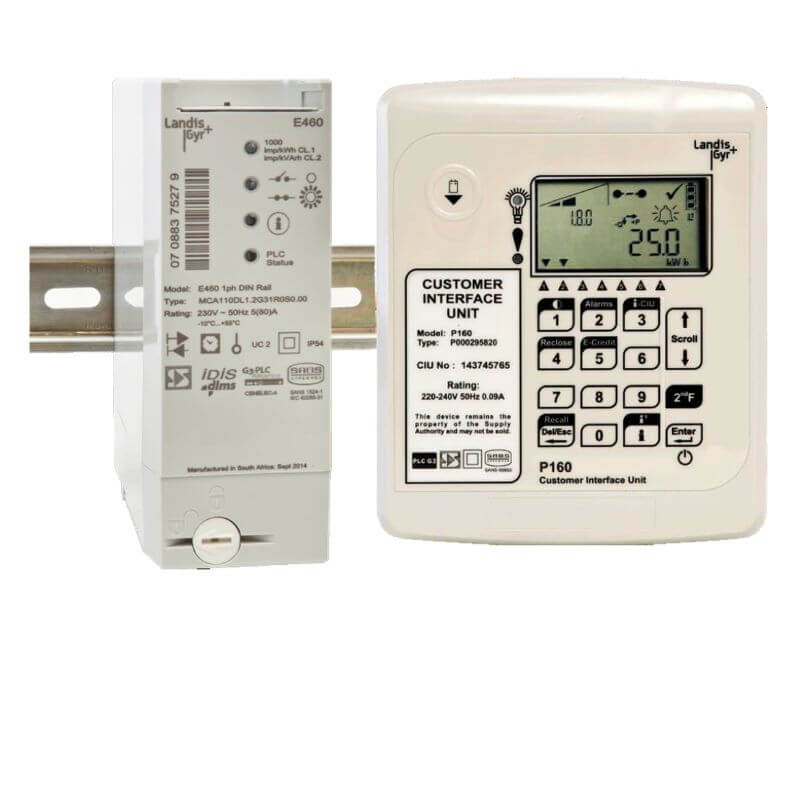
Due to its simplicity and affordable pricing, prepaid meters are becoming a common alternative for energy users. By loading prepaid tokens, these meters enable consumers to pay for power in advance.
Step 1: Get a Prepaid Meter Token.
Buying a prepaid meter token is the first step towards loading one. A token is available from a number of places, including the website and mobile applications of your power distribution company, authorized suppliers, and designated payment locations. Make sure you get a paper or digital receipt that has the token’s special 20-digit number on it.
Step 2: Collect the Required Tools
Get ready by gathering the following equipment and supplies:
- Your smart card or prepaid meter card.
- the code for the 20-digit prepaid meter token.
- a reliable power source, if one is available.
- Internet-connected mobile device or PC (optional).
Step 3: Insert Your Prepaid Meter Card
Put the actual card, if your prepaid meter accepts them, into the meter’s card slot. Make sure the card is properly and securely inserted.
Step 4: Key in the 20-digit token code
Enter the 20-digit token code cautiously using the keypad on your prepaid meter or a dedicated interface (if applicable). Double-check for accuracy to avoid errors.
Step 5: Verify the Token Entry
Your prepaid meter will show the number of power units associated with the token when you enter the token code. Verify that the data presented corresponds to the token you bought.
Step 6: Click the Enter or Confirm Button.
To finish entering the token, click the “Confirm” or “Enter” button on the interface of your prepaid meter. The units you bought will now be credited to your meter.
Step 7: Check the meter display.
Your meter’s display will refresh with the current balance of electricity units available for use after the token has been properly loaded. Now, until your units run out of juice, you may enjoy continuous power.
Step 8: Save the Receipt
The prepaid token receipt must be kept as evidence of purchase and as a reference in case there are any inconsistencies.
Step 9: Keep an eye on your energy use
Monitor the remaining units on your meter’s display to efficiently control your power use. You may use this information to schedule when to buy your next token.
Once you have confirmed the transaction, your meter will be loaded with the amount of electricity specified on the token. You can then start using electricity as usual.
By following this step-by-step guide, you can ensure that your prepaid meter remains active, providing you with a reliable source of electricity while allowing you to budget for your power consumption effectively.
Remember to purchase tokens from authorized sources and keep your receipts for transparency and record-keeping purposes.